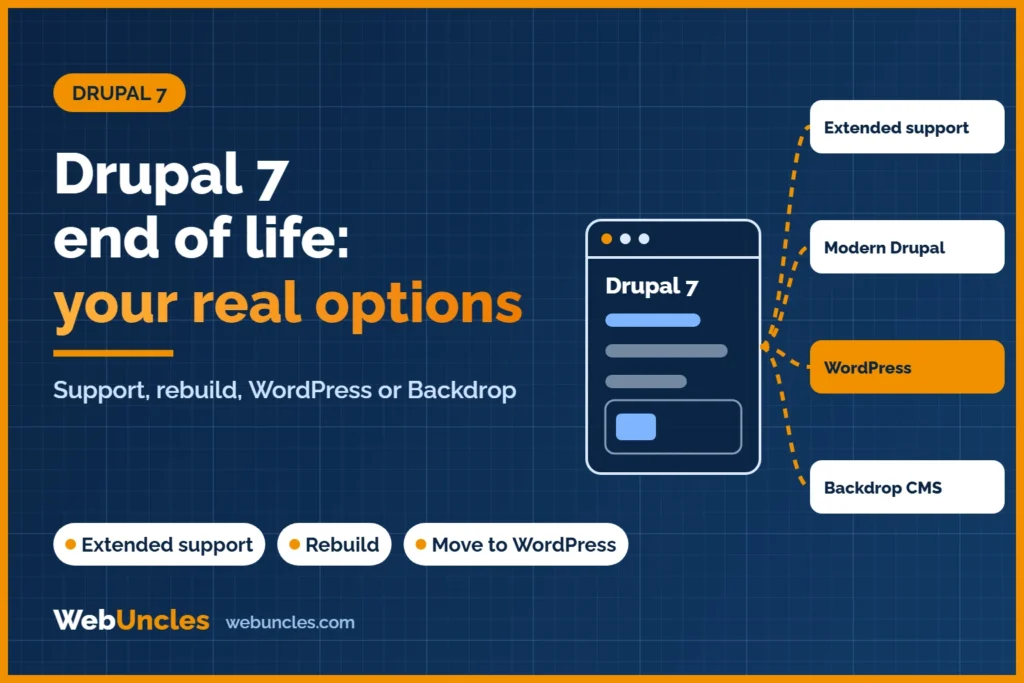
Drupal 7 end of life came on 5 January 2025. Since then, the Drupal project has sent it no security or compatibility updates. Your four options: paid extended support as a short bridge, a rebuild on modern Drupal, a move to WordPress, or Backdrop CMS (a Drupal 7 fork).
If your site still runs on Drupal 7, nothing broke on that date. That is why many owners are still on it nearly two years later. The usual reasons are budget, custom modules nobody wants to touch, and the fact that the site “still works”. This guide compares the four paths so you can pick one on facts.
What “end of life” means for a Drupal 7 site today
What stopped on 5 January 2025
The Drupal project ended Drupal 7 support on 5 January 2025. Its Drupal 7 end of life page calls this the final extension and says Drupal 7 “will no longer receive security updates or compatibility updates”. The same page warns that this can put sites out of compliance with standards such as PCI, HIPAA and SOC 2.
Support here means the official security team fixing vulnerabilities in Drupal 7 core and in the contributed modules it covered. That work has stopped. Your site has not.
What still works, and why that is the trap
Your pages still load. Editors still log in. Forms still send. Nothing on the screen tells you the code is no longer being patched. A new vulnerability in core or a popular module will not get an official fix.
So “it still works” is true and also the risk. The cost shows up later. It might be a hacked site, a host dropping an old PHP version, or a client security questionnaire you cannot pass.
Most Drupal 7 owners end up weighing a rebuild against a move. If WordPress is on your list, see how a Drupal to WordPress migration works step by step.
For a side-by-side look at both platforms, see Drupal vs WordPress.
The real risks of staying on Drupal 7
Keep this practical. The risks are real, but they are not all the same size for every site.
- Security. Unpatched core and module vulnerabilities. A brochure site with no logins and no forms is exposed less than a site with user accounts, payments or personal data.
- PHP and hosting. Drupal 7 no longer gets official compatibility updates, so future PHP releases are not covered. Hosts keep retiring old PHP versions, and older modules may not run cleanly on newer ones. Staying on an old PHP version is its own security problem. Check what your host supports.
- Modules. Contributed modules lose maintainers over time. Without security coverage, you carry the risk for every one of them.
- Compliance and insurance. Drupal.org itself points to standards such as PCI and HIPAA. Auditors, payment partners and cyber insurers may ask what software you run and whether it is supported. Check your own contracts rather than assuming.
- Hiring and tooling. As the platform ages, finding developers and tools that still target Drupal 7 can get harder. Treat this as a possible cost, not a certainty.
Option 1: Paid extended security support
The Drupal Association created an Extended Security Support Provider Program for sites that could not move off Drupal 7 before 5 January 2025. As listed on drupal.org/d7eol, the certified vendors are HeroDevs and Tag1 Consulting. We name them only because drupal.org lists them. We are not ranking or recommending either one.
What it buys you: security fixes for Drupal 7 from a commercial vendor, so the site is not left completely unpatched. What it does not buy you: a modern platform, new features, a newer PHP stack by default, or a lower future migration bill. Ask each vendor exactly which modules and PHP versions are covered, how long support is promised, and what it costs for your setup.
Treat this as a bridge. It makes sense when you have a clear migration plan and date, but need safe time to execute it. It is a poor choice as a permanent answer.
Option 2: Rebuild on modern Drupal
There is no in-place upgrade from Drupal 7 to a current Drupal version. Moving to Drupal 10, 11 or later is a migration: you build a new site and move content, users and settings across. Themes and custom modules must be rebuilt, not copied.
The version you target matters. The Drupal release cycle page sets the dates. Drupal 10 reaches end of life on 9 December 2026, and Drupal 11 is supported until early December 2028. Drupal 12 is scheduled for the week of 7 December 2026, with support to early December 2030. Moving from Drupal 7 to Drupal 10 now would put you on a version that is about to expire. Aim for Drupal 11, or Drupal 12 once it is released and your modules support it.
This path suits sites with complex content models, many custom modules, multiple editor roles, multilingual setups or heavy integrations, where Drupal is a deliberate choice. In January 2026 the Drupal project released Drupal CMS 2.0. A drupal.org announcement says it introduces the Canvas visual page builder as the default editing experience. The aim is to make new Drupal builds easier for editors.
If staying on Drupal is the right call for you, our Drupal upgrade and support page explains what we offer.
Option 3: Move to WordPress
This path suits sites that are mostly pages, blog posts, news, resources and landing pages. It also suits teams that want a large pool of developers, themes and plugins, and a familiar editor. At the time of writing (15 November 2026), the current release on wordpress.org/download is WordPress 7.1.4, and WordPress recommends PHP 8.3 or newer.
It fits less well when the site depends on complex custom content relationships, granular permissions or deep integrations that Drupal handles natively. Those parts do not move across by themselves. They get rebuilt with plugins or custom code, and that is where most of the effort goes.
Content moves by import, not by upgrade. A free plugin, FG Drupal to WordPress, says on its wordpress.org page that it has been tested with Drupal 4 to 11. That range includes Drupal 7. At the time of writing (15 November 2026) that page shows version 3.95.7, 700+ active installations and a 4.6 out of 5 rating. A plugin moves content. It does not rebuild your theme, listings, forms or integrations.
If you choose WordPress, our review of the FG Drupal to WordPress plugin shows what its free and premium versions move.
For steps, what breaks, redirects and cost drivers, read the full Drupal to WordPress migration process instead of repeating it here. Two Drupal 7 specifics to plan for: custom fields need to be mapped one by one, and any Views-driven pages must be rebuilt.
Option 4: Backdrop CMS
Backdrop CMS is a fork of Drupal. Its About page calls it “Drupal 7 — modernized”. Its Drupal alternative page says it can run on the same database as your Drupal 7 site.
Those are the project’s own claims. It says it suits small agencies, solo businesses and non-profits. Its community is smaller than Drupal’s or WordPress’s, so check that every module you rely on has a Backdrop version before you commit. If your Drupal 7 site is simple and you want the least change, it is worth a look.
How to choose
| Your situation | Extended support (bridge) | Modern Drupal (11/12) | WordPress | Backdrop |
|---|---|---|---|---|
| Mostly pages, blog, marketing content | Only as a bridge | More than you need | Strong fit | Possible fit |
| Complex content types, roles, workflows | Bridge while you plan | Strong fit | Needs careful planning | Possible if modules exist |
| Lots of custom modules | Bridge | Rebuild each module | Rebuild each one as plugin or code | Ports may be needed |
| Editor team wants a familiar editor | No change | Improving (Drupal CMS, Canvas) | Strong fit | Familiar to Drupal 7 editors |
| Budget certainty | Ongoing fee while you stay | Larger one-off build | Depends on custom features | Often the smallest change |
| Needed for under a year | Reasonable | Rarely worth it | Depends | Depends |
| Needed for 3+ years | Poor fit | Good fit | Good fit | Check the community fit |
No option is right for every site. The deciding factors are usually how much custom code you have, who edits the site, and how long you need it.
Still on Drupal 7? Get a free consultation before any migration. We will look at your modules, content and traffic and tell you which path fits, including when staying on Drupal is the right answer.
What to do this month, whichever option you choose
- Take a full backup of files and database, and keep a copy off the server.
- List every module: core, contributed and custom. Note which are in use and which are leftovers.
- Audit your content. Count content types, fields, users and media. Decide what to keep, merge or drop before moving anything.
- Export your URLs. Record every live URL with its traffic and rankings so redirects can be mapped. Read how rankings are protected during a migration.
- Check hosting and PHP. Confirm which PHP version you run and when your host plans to retire it.
- Lock down the site in the meantime: strong admin passwords, fewer admin accounts, no unused modules, and a web application firewall if your host offers one.
- Choose a path and a date. A dated plan beats staying put by default. See our website migration services if you want help scoping it.
Frequently asked questions
When did Drupal 7 reach end of life?
Drupal 7 end of life was 5 January 2025, after earlier extensions. The Drupal project stopped providing security and compatibility updates that day, as stated on drupal.org/d7eol.
Is it safe to keep running Drupal 7?
Not without added protection. The site keeps working, but new vulnerabilities will not get official fixes. Paid extended support, hardening and a firm migration date reduce the risk. They do not remove it.
Can I upgrade Drupal 7 directly to Drupal 11?
No. There is no in-place upgrade. You build a new Drupal 11 site (or Drupal 12 once released) and migrate your content and settings. Themes and custom modules have to be rebuilt.
Who provides Drupal 7 extended support?
Drupal.org lists HeroDevs and Tag1 Consulting as certified providers in its Extended Security Support Provider Program. Ask each what is covered and for how long.
Can I move a Drupal 7 site to WordPress?
Yes. Content, users and media can be imported, and the design, listings and integrations are rebuilt. The Drupal to WordPress migration guide covers the process and answers common Drupal 7 questions.
How long does a Drupal 7 migration take?
It depends on content volume and on how many custom content types and modules you have. Redesign work, integrations and how fast your team signs off also matter. Get a scoped estimate after a module and content review. A time quote without one is a guess.
Not sure which way to go? Book a free consultation before any migration. We will review your current setup and tell you plainly whether to bridge, rebuild, move or stay.