
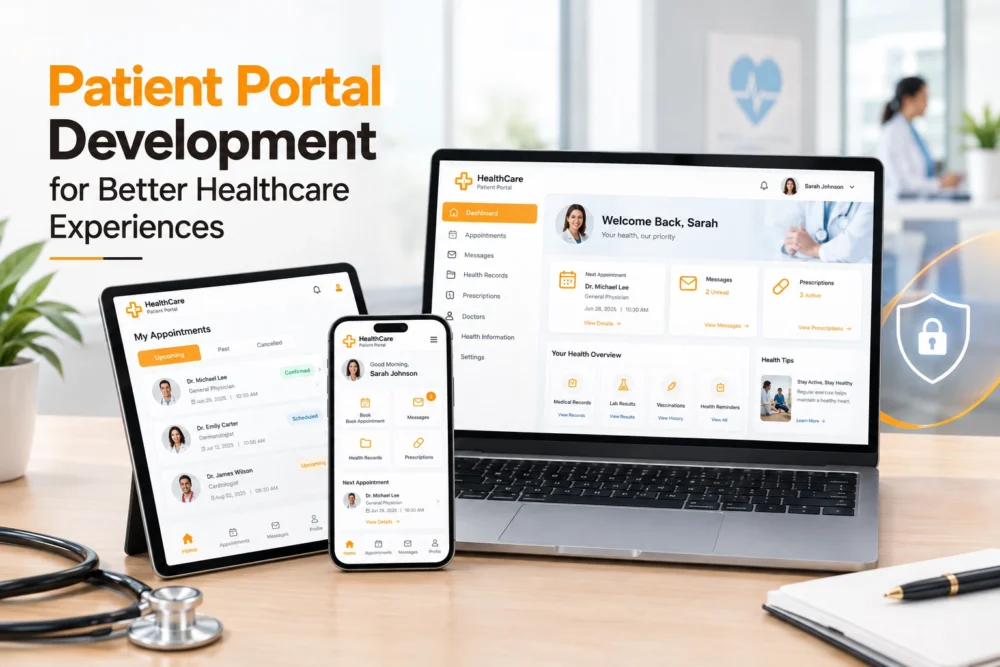
Healthcare is becoming increasingly digital, and patients now expect more than a basic healthcare website. They want convenient ways to book appointments, view medical information, complete forms, communicate with healthcare providers, and manage other routine healthcare tasks online.
This is where patient portal development becomes valuable.
A patient portal provides a secure digital environment where patients can access selected healthcare services and information without having to contact a clinic or hospital for every routine request. When connected with systems such as EHRs, appointment scheduling platforms, billing software, and other healthcare applications, a portal can create a more connected digital experience for both patients and healthcare teams.
In this guide, we will explore what patient portal development involves, the features a modern portal should include, security considerations, development costs, custom versus ready-made solutions, and the steps involved in building a patient portal.
Contents
- 1. What Is Patient Portal Development?
- 2. Why Does Patient Portal Development Matter?
- 3. Key Features of a Modern Patient Portal
- 4. How Does a Patient Portal Improve Patient Experience?
- 5. Custom Patient Portal vs. Ready-Made Solution
- 6. When Should You Consider a Custom Patient Portal?
- 7. Security Considerations for Patient Portal Development
- 8. HIPAA and Patient Portal Development
- 9. Mobile-Friendly Patient Portal Design
- 10. How to Plan a Patient Portal Development Project
- 11. How Much Does Patient Portal Development Cost?
- 12. Patient Portal Development for Clinics vs. Hospitals
- 13. Benefits of Investing in Custom Patient Portal Development
- 14. Patient Portal vs. Healthcare Website
- 15. How WebUncles Can Help With Healthcare Digital Solutions
- 16. FAQs
What Is Patient Portal Development?
Patient portal development is the process of designing and building a secure online platform that allows patients to interact with a healthcare organization digitally.
Depending on the organization’s requirements, a patient portal may allow users to:
- Book and manage appointments
- View available medical information
- Access test results and documents
- Review prescription information
- Complete digital forms
- Communicate with healthcare teams
- View billing information
- Receive notifications and reminders
- Manage their profile and account information
Instead of relying entirely on phone calls, emails, paperwork, or in-person visits, patients can use a web browser or mobile device for eligible services.
For healthcare providers, the portal can also become an additional communication and administrative channel.
A well-planned portal can connect with existing healthcare systems, making information and workflows easier to manage while providing patients with a more convenient digital experience.
Why Does Patient Portal Development Matter?
People are already comfortable using digital platforms for banking, shopping, communication, and appointment booking. Healthcare is increasingly becoming part of this digital experience.
A complicated or outdated healthcare website can make simple tasks unnecessarily difficult. Patients may have to call a clinic just to ask about an appointment, submit a form, check available information, or complete an administrative task.
A well-designed patient portal can move many of these routine interactions online.
The goal is not simply to add more technology to healthcare. The goal is to make healthcare interactions simpler, more accessible, and easier to manage.
For healthcare organizations, a portal can also help streamline repetitive administrative activities and create a more consistent digital experience.
Key Features of a Modern Patient Portal
The exact features depend on the healthcare organization’s size, services, workflows, and technology infrastructure. However, several capabilities are commonly important.
1. Secure Patient Login
Security begins with account access.
A patient portal should provide a reliable authentication process while preventing unauthorized access to sensitive information.
Depending on the system, authentication may include:
- Strong password requirements
- Multi-factor authentication
- Identity verification
- Session management
- Account recovery controls
The login process should also remain easy to understand. Strong security should not unnecessarily make the portal difficult for patients to use.
2. Appointment Management
Appointment management is one of the most useful portal functions.
Patients may be able to:
- Schedule appointments
- View upcoming appointments
- Reschedule appointments
- Cancel appointments
- View appointment details
- Receive appointment reminders
When appointment information is synchronized with the organization’s scheduling system, patients and staff can work with more consistent information.
3. Access to Medical Information
Depending on the organization’s systems and policies, patients may be able to access selected healthcare information through the portal.
This could include:
- Medical records
- Laboratory results
- Clinical documents
- Test reports
- Prescription information
- Other patient documents
The information should be organized clearly so users can quickly find what they need without navigating through complicated menus.
4. Secure Messaging
Secure messaging provides patients with a controlled way to communicate with their healthcare organization.
It can be useful for appropriate non-emergency communication, follow-up questions, administrative requests, and other supported interactions.
Healthcare organizations should establish clear rules around response times, responsibilities, and the types of communication that should be handled through the portal.
A patient portal should not be treated as a replacement for emergency communication channels.
5. Prescription and Medication Information
A portal can provide access to prescription and medication information when supported by the organization’s healthcare systems.
Depending on the implementation, patients may be able to review relevant medication information or submit supported requests online.
6. Billing and Payment Information
Billing functionality can allow patients to view relevant financial information such as:
- Outstanding balances
- Invoices
- Payment history
- Billing details
An online payment option can make eligible payments more convenient.
Because financial and healthcare information may both be involved, payment functionality should be implemented using appropriate security practices and technologies.
7. Digital Forms and Documents
Digital forms can reduce paperwork and simplify registration.
A patient portal may support forms such as:
- Registration forms
- Consent forms
- Insurance information
- Medical history questionnaires
- Patient questionnaires
Digital forms can also make it easier for healthcare organizations to collect and organize information.
8. Notifications and Reminders
Notifications can keep patients informed about important portal activities.
Depending on the system, notifications may be delivered through:
- SMS
- Push notifications
- In-portal alerts
Healthcare organizations should carefully control the information included in notifications to reduce the risk of exposing sensitive data.
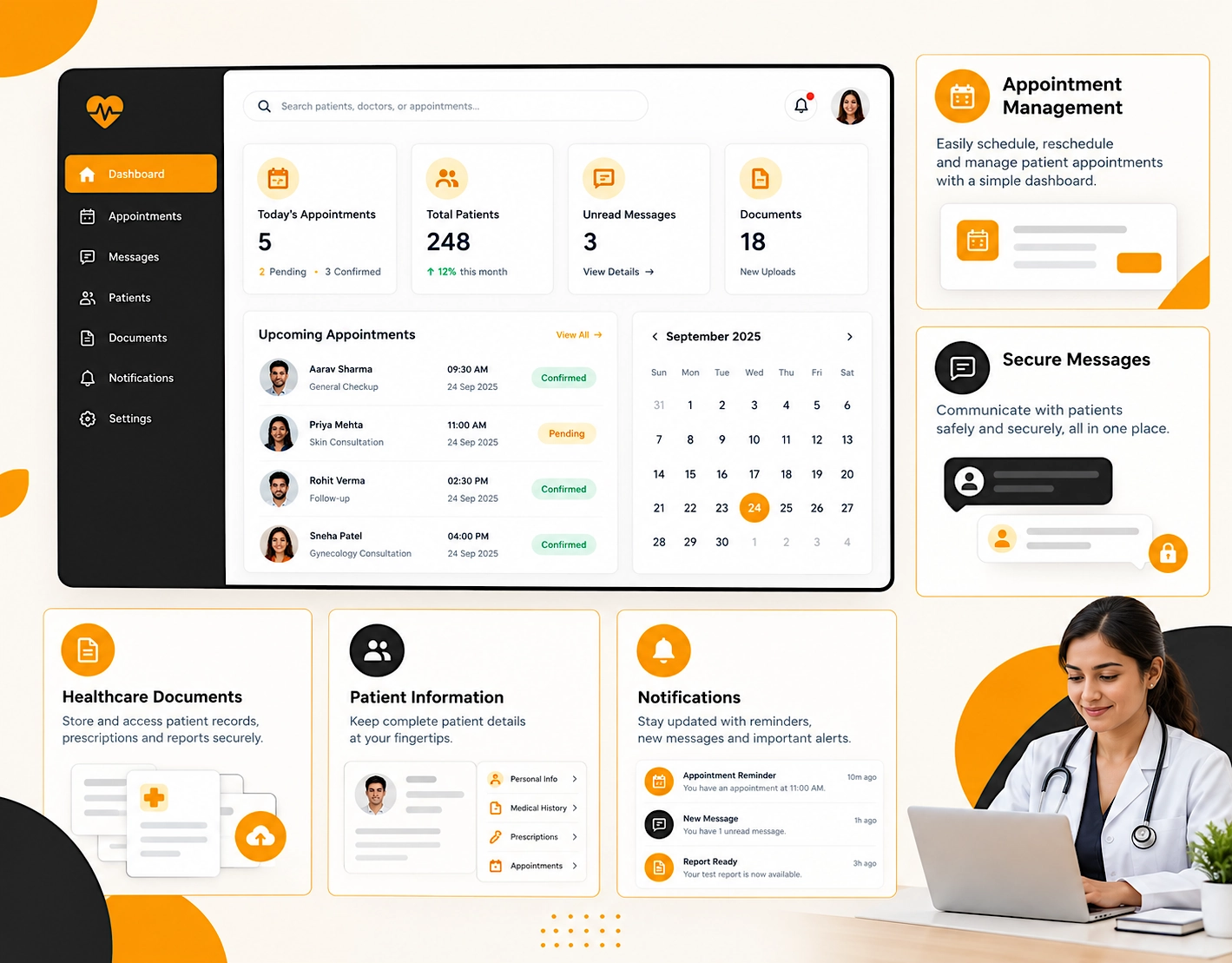
How Does a Patient Portal Improve Patient Experience?
A successful patient portal should be designed around actual patient needs rather than simply offering a large number of features.
Greater Convenience
Patients can complete eligible routine tasks online instead of calling or visiting the healthcare facility.
Easier Access to Information
Important documents, appointments, messages, and other available information can be organized in one secure location.
Better Communication
Secure messaging provides another structured communication channel between patients and healthcare teams.
Reduced Administrative Work
Digital forms, appointment management, and online access to information can reduce some repetitive administrative tasks.
More Connected Healthcare Journeys
When scheduling, records, billing, and other systems are appropriately connected, patients can experience a more consistent digital journey.
Custom Patient Portal vs. Ready-Made Solution
Healthcare organizations generally have two approaches: use a ready-made patient portal or develop a custom solution.
Neither approach is automatically right for every organization. The decision depends on requirements, budget, existing infrastructure, workflows, integrations, and long-term plans.
Ready-Made Patient Portal
A ready-made portal is designed to serve multiple healthcare organizations.
Potential advantages include:
- Faster implementation
- Existing features
- Pre-built integrations
- Established workflows
- Lower initial development requirements
The main limitation can be customization. An organization may need to adapt some of its processes to the capabilities of the selected platform.
Custom Patient Portal Development
A custom patient portal is developed around the organization’s specific requirements.
It can provide greater control over:
- User experience
- Features
- Branding
- Workflows
- Integrations
- Data flow
- User roles
- Scalability
Custom development can be useful when an organization has specialized processes or complex integration requirements.
However, custom development generally requires more planning, development time, testing, and ongoing technical resources.
When Should You Consider a Custom Patient Portal?
A custom solution may be worth considering when an organization has requirements that are difficult to accommodate with an existing platform.
Common reasons include:
- Unique patient workflows
- Multiple healthcare system integrations
- Specialized appointment processes
- Multiple user roles
- Custom reporting requirements
- Specific branding requirements
- Accessibility requirements
- Long-term scalability needs
- Complex data flows
Before starting development, healthcare organizations should clearly identify the problems they want the portal to solve.
Customization should have a practical purpose rather than being pursued simply because it is technically possible.
Security Considerations for Patient Portal Development
Security should be part of the entire patient portal development lifecycle, not something added after development is complete.
Because patient portals may handle sensitive healthcare information, organizations need an appropriate security strategy based on their systems, data, users, and regulatory requirements.
Important areas include:
- Authentication
- Authorization
- Encryption
- Access controls
- Secure development
- Security monitoring
- Backups
- Vulnerability management
- Incident response
Authentication
Authentication verifies a user’s identity before access is provided. Depending on the portal, this may involve passwords, multi-factor authentication, identity verification, or other controls.
Authorization
Authentication determines who a user is. Authorization determines what that user is allowed to access.
Patients should only have access to information they are authorized to view, while staff access should be based on their responsibilities.
Encryption
Appropriate encryption can help protect sensitive information while it is being transmitted and, where applicable, while stored.
The exact implementation depends on the portal architecture and security requirements.
Access Controls
Role-based access controls can help ensure that users only have access to the information and functions necessary for their roles.
Security Monitoring
Security does not end when a portal goes live.
Ongoing monitoring, updates, vulnerability management, testing, and maintenance are important parts of operating a healthcare application.
HIPAA and Patient Portal Development
For healthcare organizations subject to HIPAA, patient portal development requires careful consideration of protected health information and applicable HIPAA requirements.
However, HIPAA compliance involves more than building a technically secure website or application.
It can involve technology, administrative procedures, organizational policies, workforce practices, risk assessments, vendor relationships, and other requirements.
Organizations should evaluate their specific obligations with qualified legal, compliance, and security professionals.
Mobile-Friendly Patient Portal Design
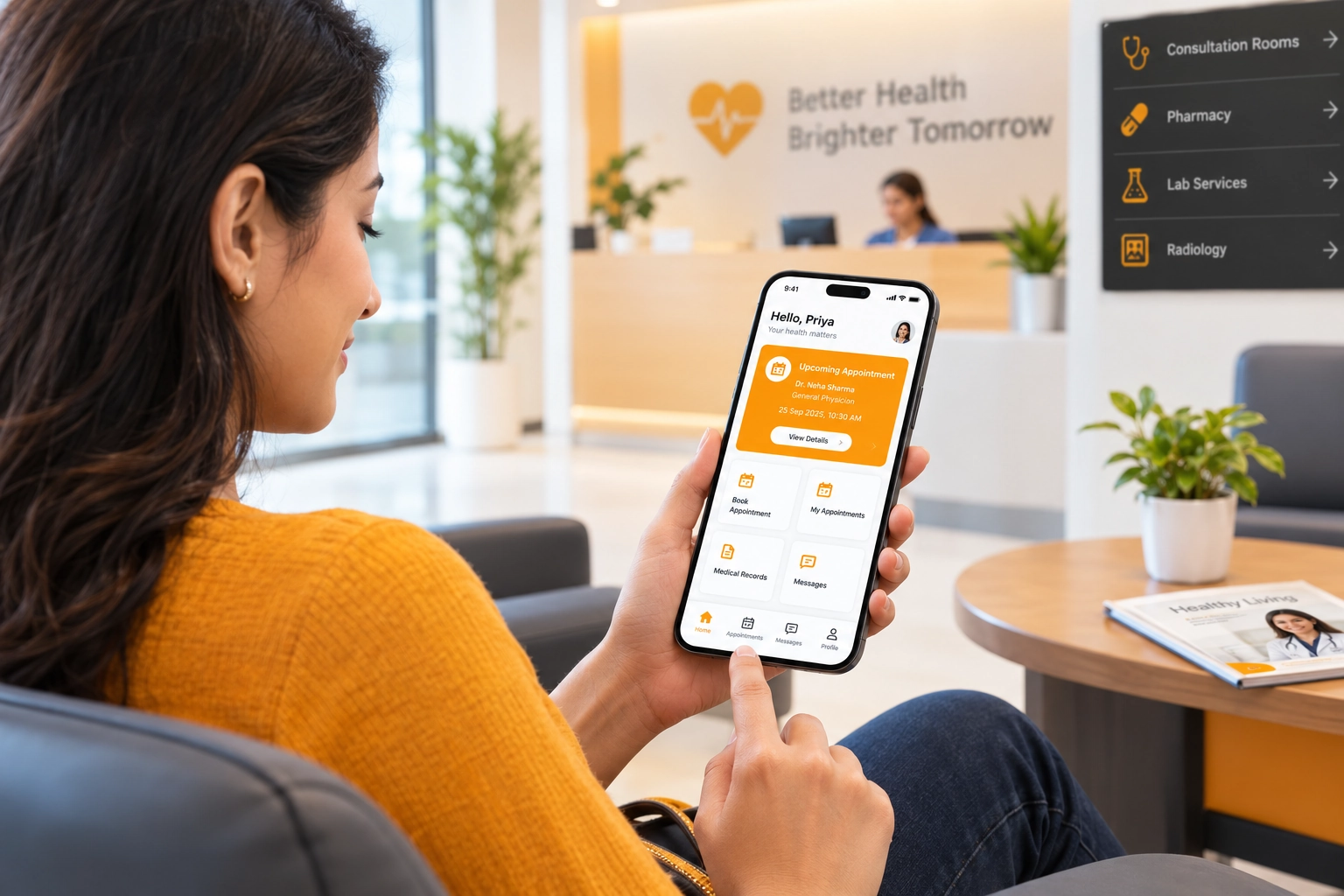
Patients may access a portal from smartphones, tablets, and desktop computers. Therefore, responsive design is an important part of modern patient portal development.
A mobile-friendly portal should make common tasks simple.
For example:
- Text should remain easy to read
- Buttons should be easy to tap
- Navigation should remain clear
- Forms should work properly on smaller screens
- Appointment information should be easy to access
- Documents and messages should remain usable
A mobile-first design approach can also help identify usability problems early in the development process.
How to Plan a Patient Portal Development Project
A structured development process can reduce unnecessary complexity and help keep the project focused.
Step 1: Define Your Goals
Determine what the portal needs to accomplish. For example, the goal may be to improve appointment management, provide digital access to information, simplify communication, or reduce administrative work.
Step 2: Understand Patient Needs
Identify the problems patients and employees currently experience. Look for repetitive processes, delays, confusing workflows, and tasks that could reasonably be handled digitally.
Step 3: Define Features
Create a feature list and separate essential launch functionality from features that can be introduced later. Starting with a focused first version can make development easier to manage.
Step 4: Plan Integrations
Identify systems that need to connect with the portal, such as EHRs, scheduling platforms, billing systems, payment services, or other healthcare applications. Technical integration requirements should be evaluated early.
Step 5: Design the User Experience
Create user flows, wireframes, and interface designs before full development begins. This helps identify usability issues before they become expensive to change.
Step 6: Develop and Test
Development should be followed by functional, security, accessibility, mobile, and integration testing. Testing should reflect realistic patient and staff workflows.
Step 7: Launch and Monitor
After launch, monitor performance, collect feedback, address security issues, and continue improving the platform. A patient portal should evolve as user expectations, healthcare workflows, and technology change.
Building Too Many Features: A larger feature list does not automatically create a better portal. Start with functions that solve real patient and staff problems.
Ignoring Staff Workflows : Security should be considered during architecture, design, development, testing, deployment, and maintenance.
Treating Security as an Afterthought : Security needs to be considered from architecture and design through development, testing, deployment, and maintenance.
Poor Mobile Experience : If common tasks are difficult to complete on a smartphone, patients may struggle to use the portal effectively.
Complicated Navigation : Patients should be able to find appointments, messages, documents, and other common functions without extensive training.
No Ongoing Maintenance : A healthcare portal requires continued updates, security reviews, monitoring, testing, and technical support after launch.
How Much Does Patient Portal Development Cost?
The cost of patient portal development varies significantly from one project to another.
A basic portal using an existing platform can have very different development requirements from a fully custom application connected to multiple healthcare systems.
Factors that can affect the cost include:
- Number of features
- Custom UI and UX requirements
- EHR integrations
- Appointment functionality
- Messaging
- Billing and payments
- Authentication requirements
- Security requirements
- Mobile support
- Accessibility
- Third-party integrations
- Testing
- Maintenance and support
The most reliable way to estimate a project is to first define the required functionality, integrations, technology environment, and security requirements.
Patient Portal Development for Clinics vs. Hospitals
Patient portal requirements can vary considerably depending on the size and structure of the healthcare organization.
For Clinics
A clinic may primarily need:
- Appointment scheduling
- Patient communication
- Digital forms
- Basic patient information
- Document access
- Integration with existing healthcare systems
The focus is often on simplifying common interactions without adding unnecessary complexity.
For Hospitals
Hospitals may require a much broader platform supporting:
- Multiple departments
- Multiple locations
- Different providers
- Various appointment types
- Patient services
- Billing workflows
- Documents
- Complex integrations
- Multiple user roles
- Accessibility requirements
- Scalable infrastructure
For this reason, patient portal development should be planned around the organization’s actual requirements rather than using the same approach for every healthcare provider.
Benefits of Investing in Custom Patient Portal Development
A carefully planned custom portal can provide several long-term benefits.
Better Patient Convenience : Patients can access supported services through a centralized digital platform.
Improved Digital Communication :Secure communication tools can provide a more organized channel for appropriate patient interactions.
Streamlined Administrative Work :Digital forms, appointment management, and online information access can reduce repetitive administrative work.
Greater Patient Engagement:Convenient digital access can make it easier for patients to participate in supported parts of their healthcare journey.
Scalable Digital Infrastructure : A properly planned architecture can allow the platform to grow as the organization’s digital requirements increase.
Consistent Brand Experience : A custom portal can be designed to complement the healthcare organization’s existing website and digital identity.
Patient Portal vs. Healthcare Website
A healthcare website and patient portal have different purposes.
A healthcare website generally serves the public. It may provide information about services, doctors, locations, facilities, educational resources, and contact options.
A patient portal is a secure environment for authenticated users and provides access to supported patient-specific functionality.
The two platforms can work together. A typical digital journey might look like:
Healthcare Website → Explore Services → Start or Book Care → Patient Portal → Manage Patient Interactions
Connecting these experiences can create a smoother transition from public healthcare information to authenticated patient services.
How WebUncles Can Help With Healthcare Digital Solutions
Healthcare organizations need digital platforms that balance usability, performance, accessibility, security-conscious development, and organizational requirements.
At WebUncles, healthcare website and web application projects can be approached with the wider patient journey in mind.
Whether an organization needs a healthcare website, patient portal, integration solution, or improvements to an existing digital platform, the first step should be understanding its goals, workflows, users, and technical environment.
The objective is to build technology that is practical, scalable, and easier for both patients and healthcare teams to use.
FAQs
It is the process of creating a secure digital platform for patients to access supported healthcare services and information online.
Common features include secure login, appointments, messaging, medical information, forms, notifications, and billing.
It provides convenient online access to supported healthcare services and reduces the need for some routine phone calls or visits.
Yes. A portal can integrate with an EHR when suitable technical interfaces and integration capabilities are available.
It depends on the organization’s requirements. Ready-made solutions can support faster deployment, while custom development provides greater control.
Organizations subject to HIPAA need to consider applicable HIPAA requirements when handling protected health information.
Yes. Patients may use smartphones and tablets, so responsive design is important.
Cost depends on features, integrations, security, design, technology, testing, and ongoing maintenance requirements.
The timeline depends on the complexity of the portal, integrations, workflows, testing requirements, and development approach.
Yes. A public healthcare website and secure patient portal can be connected to create a broader digital patient experience.
Look for experience in healthcare web applications, integrations, responsive design, accessibility, security-conscious development, testing, and ongoing support.

